Volume Wheel
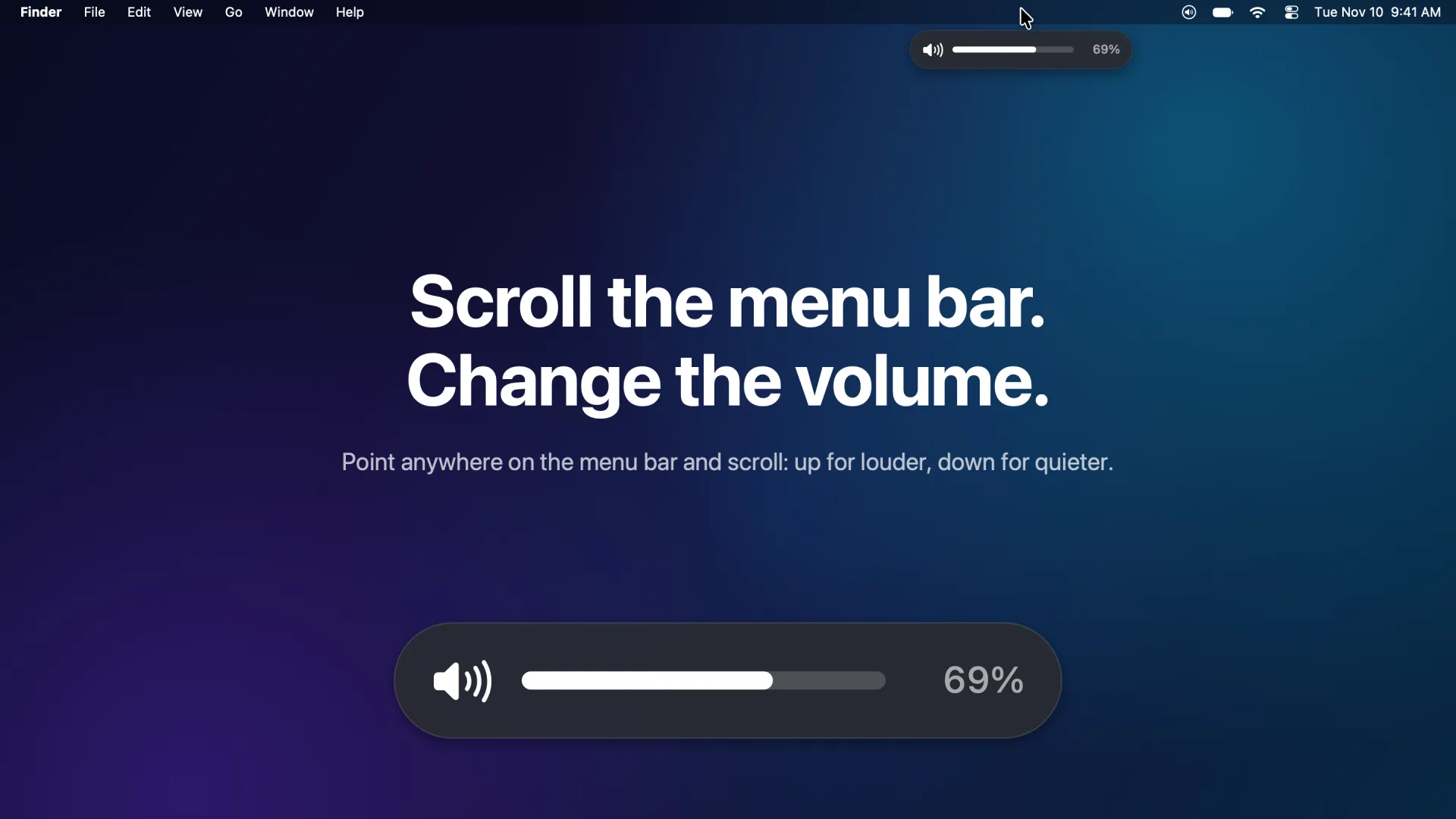
Scroll the menu bar to change your Mac's volume.
Screenshot 01 of 04
About this app
Volume Wheel turns your Mac's menu bar into a volume knob. Point at the menu bar at the top of the screen and scroll: up to make it louder, down to make it quieter. A small volume bar appears right where you're looking and fades away when you're done.
It works with mouse wheels, trackpads and Magic Mouse. Wheel notches step the volume just like the volume keys, trackpads change it smoothly, and holding Option gives extra-fine steps. It respects each device's scroll direction, including per-device settings from popular mouse utilities. Scrolling to zero mutes, and scrolling back up unmutes.
It works on every display that shows a menu bar, including MacBooks with a notch, and lives quietly in the menu bar, where you can turn it off, reverse the direction, open it at login or hide its icon completely.
Private by design: Volume Wheel only reacts to scrolling over the menu bar. It doesn't read what you type, collect any data, or connect to the internet. It needs Accessibility permission to notice that scrolling, and walks you through turning it on the first time you open it.
Features
Every mouse, every trackpad
Mouse wheels step the volume like the volume keys, trackpads and Magic Mouse glide smoothly, and Option gives extra-fine steps.
A volume bar where you're looking
A small volume bar appears right under the pointer and fades away when you're done. Scroll to zero to mute.
Every display
Works on every screen that shows a menu bar, including MacBooks with a notch, and respects each device's scroll direction.
Private by design
Only reacts to scrolling over the menu bar. No data collection, no analytics, no internet connection.
How it works
Step 1: Grant Accessibility permission
The first time you open Volume Wheel, it explains why it needs Accessibility permission and walks you through turning it on.
Step 2: Point at the menu bar and scroll
Scroll up for louder, down for quieter. A small volume bar shows the level right where you're looking.
Step 3: Fine-tune it
Hold Option for extra-fine steps. From the menu bar icon you can reverse the direction, open it at login or hide the icon.
Get Volume Wheel
Coming soon to the App Store for $1.99.
FAQ
Frequently asked questions
Quick answers about Volume Wheel.
What does Volume Wheel do?
It lets you change your Mac's volume by scrolling while the pointer is over the menu bar at the top of the screen: up for louder, down for quieter.
Why does it need Accessibility permission?
macOS only lets an app notice scrolling over the menu bar if you allow it under Accessibility. Volume Wheel only uses it to receive scroll events over the menu bar. It doesn't record keystrokes, read the screen or control other apps.
Does it collect any data?
No. Scroll events are handled on your Mac and never saved or sent anywhere. The app has no network access, analytics or ads.
Does it work with a trackpad or Magic Mouse?
Yes. Mouse wheel notches step the volume like the volume keys, while trackpads and Magic Mouse change it smoothly. Hold Option for extra-fine steps.
Does it work on MacBooks with a notch and on external displays?
Yes. It works on every display that shows a menu bar, including MacBooks with a notch.
How much does it cost?
$1.99 on the Mac App Store, a one-time purchase. There are no subscriptions, in-app purchases or ads.
Is it on iPhone or Windows?
No. Volume Wheel is a Mac app, coming soon to the Mac App Store.
Coming soon to the App Store for $1.99.
Coming soon to the Mac App Store